

What Is Express Setup?
Express Setup is your pre-flight check. In just two steps, it confirms that your phone camera, target, and lighting environment are aligned correctly. Why does it matter? Because accuracy and precision do not come from chance, they come from science. If the camera misreads the laser or glare blinds the system, your results will not reflect your skill.
Express Setup removes the guesswork, ensuring every shot you fire is judged as reliably as it would be on a sanctioned firing line.
Why Position and Distance Matter
Phone horizontal. Keeping your phone in landscape mode widens its field of view. That is critical when training with ballistic drop and wind drift, and it also creates more space for visual feedback such as Results Tables and target pull-ups.
Phone close to target. Think of the camera like a nearsighted shooter. From too far away, it guesses what is happening on the target. Up close, the picture is sharp and precise. That is why F-Class Laser Academy insists on close positioning for accuracy you can trust.
Other dry-fire systems do not always use this approach. Different technology, lower standards, or a good-enough philosophy may work for them. But in F-Class, fractions matter, so F-Class Laser Academy designed Express Setup to guarantee exactness.
Step 1: Light Check and Reset Mark Alignment
This is where most issues are solved and it takes less than a minute if you have followed the Quick Start Guide.
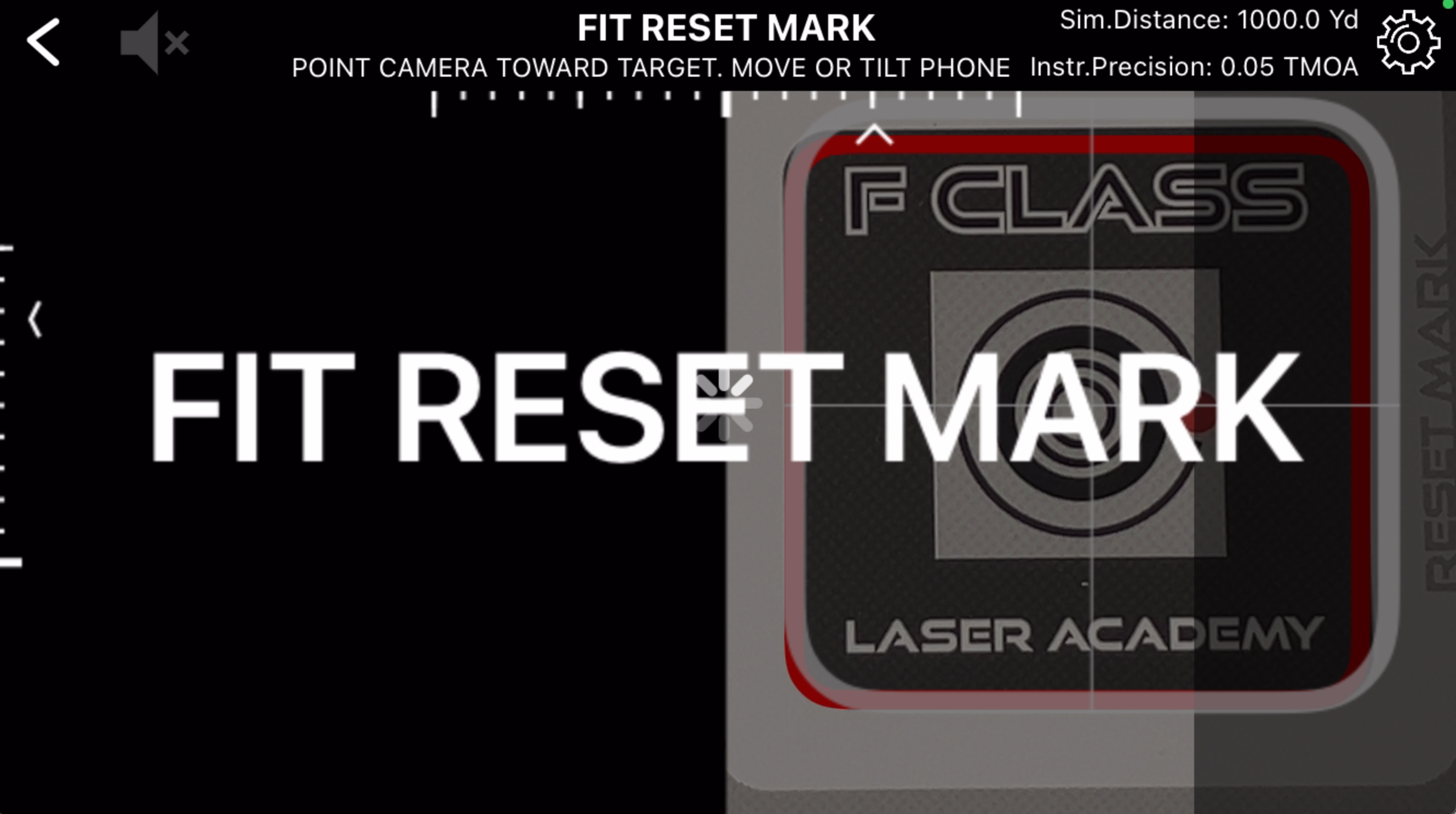
Eight built-in helpers guide you through alignment:
- Instructional text on screen
- Top Panel messages showing status
- A dedicated area to fit the Reset mark
- Red frame confirming the mark is found
- White helper frame to guide alignment
- A faded stencil inside the red frame for final fine-tuning
- MOA and MRAD angular scales to correct roll and tilt of the phone
Once alignment is confirmed, the app clears the overlay and automatically runs a light check. Red zones highlight oversaturated areas, spots where the laser dot may not be detected. The rule is simple: no red should cover the target face or the Reset mark. Any red in those areas can block hit registration and distort your results.
Step 2: Camera-to-Target Crosshair Alignment
This step is almost fully automated. Your only task is to confirm that the crosshair lands on the bull. A digital white crosshair appears on screen, showing exactly where the phone sees the center of the target. When alignment is confirmed, the crosshair turns red. If it is slightly off, drag the crosshair with your finger away from the target and let the app recalibrate instantly. Once alignment is locked, the Next button activates automatically, moving you to the firing line.
Last Word: Fast, Scientific, Foolproof
During training, Express Setup takes less than 60 seconds, but that one minute can save hours of frustration. You will shoot with confidence, knowing the system is aligned, the light is balanced, and your phone is "dialed in" for maximum accuracy.
Share:
Why I Trust the LaserHIT HD/LR Cartridge
How to Start: A Practical Guide for Your First Session